
Annual Review System
A structured Excel-based workflow for managing annual review paperwork, outcomes, provision changes and proof-reading across SEND settings.
Excel-based - Microsoft 365 · Built for SEND settings


The Annual Review System helps staff organise key review information in one structured workflow, reducing duplication and improving consistency across one-page profiles, parent/carer and adult views, planned outcomes, provision changes, meeting records and proof-reading.
Built to bring the annual review process together
One structured workflow

Keep key annual review sections in one place, with clear navigation for staff.
Designed for SEND provision

Built around the reality of specialist settings, where reviews involve multiple voices, outcomes and provision details.
Review and quality assurance

Build quality assurance into the workflow, with clear visibility of completed reviews and those still needing a final check.
Excel-based and familiar

Designed in Excel for settings already working within Microsoft 365.
System Preview
A look inside the Annual Review System.
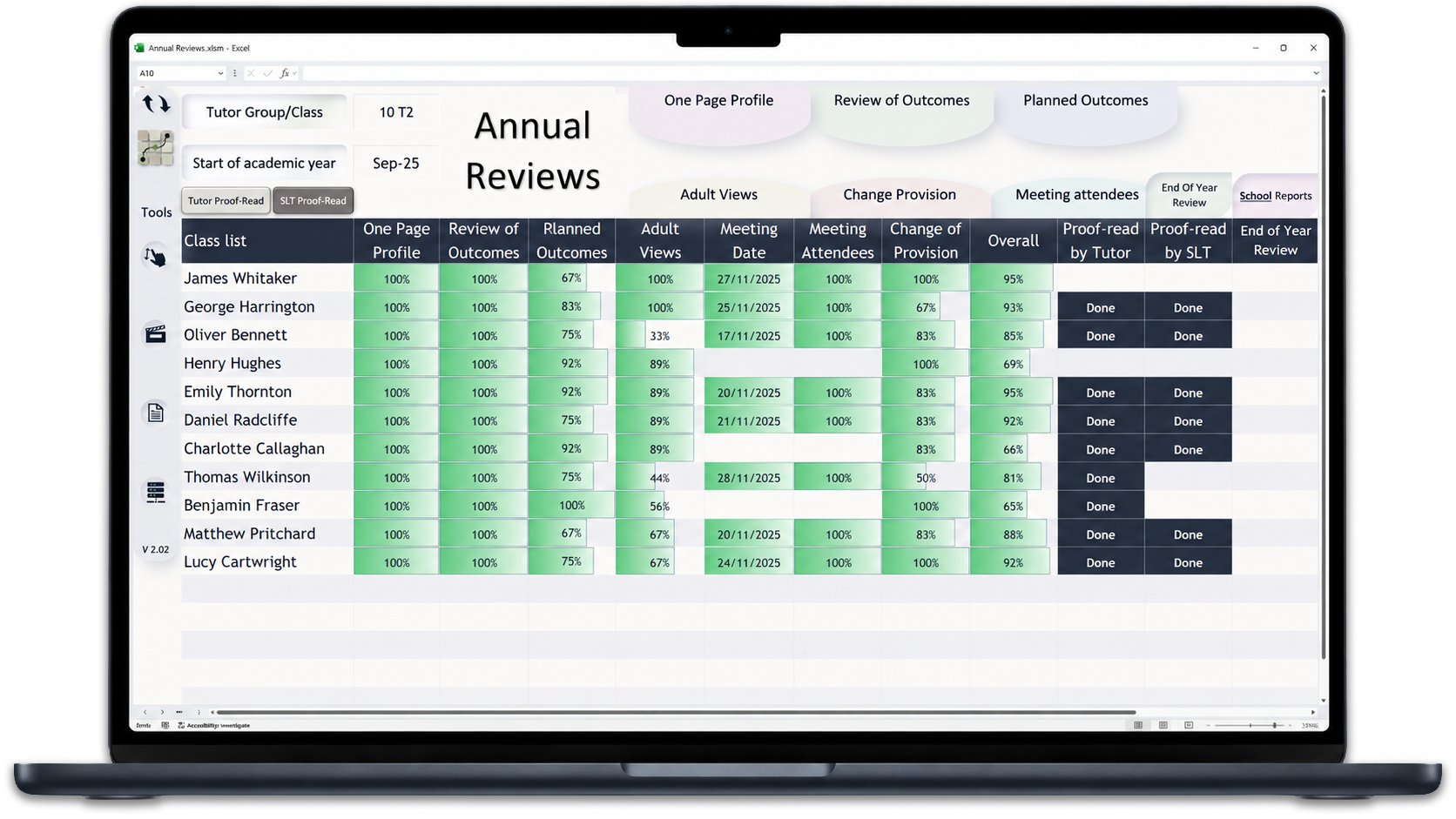
Overview Dashboard
See at a glance which sections are complete and where proof-reading is finished.
One-Page Profile
Capture the interests and aspirations of the learner.
Planned Outcomes
Set clear, achievable, measurable outcomes and plan the support and provision required.
Review of Outcomes
Review progress against planned outcomes and record progress and impact.
Focused proof-reading view
Bring each learner’s annual review information together in one place, helping staff check key sections before paperwork is finalised.
Generated Paperwork
Generate annual review paperwork automatically, with options for printing and exporting.
Try the Annual Review System walkthrough
Click through an anonymised version of the system to see how staff move from the overview dashboard to learner profiles, outcomes, meeting information and generated paperwork.
Want to see how the Annual Review System works?
Arrange a short conversation to explore how the Annual Review System could support your setting.